Showing posts with label Review. Show all posts

Thursday

Asus ET2700INTS AIO PC Specs: 27-inch, Touch Screen, Intel Core i7

Asus ET2700INTS
Asus All In One PC - Asus presents the series AIO PC products (All In One PC) to meet the needs of people who want a compact PC product in the space you are using the touch screen feature. Products with the touch screen feature appreciated by the public because of the use of flexible, from Mobile Phone / Smartphone, Tablet and PC.
Let's look at reviews and full specs Asus ET2700INTS below.

ET2700INTS Asus AIO PC using a 27-inch screen (touchscreen) and a resolution of 1920x1080 Full HD. Size was determined to be used to play games, watch full HD movies and browsing. The resulting sound when watching movies or listening to music is very good, with additional external Sub Woofer wrapped with black matte and flat shape,
Screen Touchscreen on ET2700INTS make you comfortable when using for playing casual games and browsing.

Dimension ET2700INTS Asus AIO PC is quite big, but the size of it because of the screen size 27 inches and the thickness is fairly balanced.
How to install Asus ET2700INTS is easy, open the box and pull out and then plug the adapter cord that comes and do not need to install anything else. This product will not waste space on your premises and also equipped with sturdy legs.

Asus Series AIO series is unlike any other, because it uses high specification, making this product as a 3D gaming engine is powerful, and capable multimedia machine.

Asus ET2700INTS premium features is the presence of an assortment of ports and other equipment are embedded at various places (Rear, right, left). Optical Drive Blu-Ray and USB 3.0 port, D-Sub, HDMI is also available diperangkat.
Series AIO looks neat with the placement of the port side section quite well with support cover.

The sales package Asus ET2700INTS given: Wireless Mouse, Keyboard. Mouse provided a medium-sized, if your hands are large, we feel uncomfortable and need to buy a bigger mouse. The keyboard is comfortable to use and is provided with a form on the chicklet keys. And also provide the Windows Media Player.

Asus sound ET2700INTS feels very good when you use the music plays. and be able to play 3D games run smoothly with certain resolutions and settings.

Performance

The performance offered by the Asus ET2700INTS able to run applications smoothly onto the middle class and the processor used is not the mobile version.

Electric power consumption

Users do not have to worry about electricity bills swell, because the device is very economical. And users can prove yourself with regular Desktop PC today.


Performance NVIDIA Ge Force GT450

NVIDIA GeForce GT450 performance results are very nice, being able to run a variety of 3D games at certain resolutions and high settings. Such as:
- Left4 game series Dead and Resident Evil 5 was able to walk smoothly on FPS numbers 30 and above with high settings and a resolution of full HD.
- Series game DiRT2 able to run smoothly, but the lower resolution of 1 dipengaturan hrus. If not done, then the 30 FPS rate can not be achieved.

Transcoding Asus ET2700INTS running quickly using CUDA, for Quick Sync feature is not found. Possible lack of Quick Sync feature for not using NVIDIA Optimus.

Final Conclusion

Asus ET2700INTS provide an alternative solution for PC users with limited space, but high performance and has a large screen. And being able to run a top-class applications.
Various jobs you can run with a AIO series from Asus, and fun entertainment for you. Because the variety of 3D games can run, Full HD movie quality, and a good sound system is supported with an additional subwoofer good quality. AIO series is also economical electrical power, so no need to worry about the cost of electricity to swell.

Appraisal
+ High specification
+ Touch Screen, Big Screen, Full HD
+ Low power consumption
+ Blue-Ray
- Large Adaptor

Specs Asus ET2700INTS AIO PC

Processor: Intel Core i7 2600, Speed ​​3.4GHz, 8MB L3 Cache
Operating System: Windows 7 Home Premium 64-bit
Screen: 27 inch, 1920x1080 pixel resolution
Graphics: NVIDIA GeForce GT540
RAM Memory: 8GB DDR3
Memory Hard Disk: 2TB SATA
Connection: Bluetooth, Wi-Fi 802.11 b / g / n, USB 3.0 port, USB 2.0 ports, eSATA, HDMI Port, Antenna, Ethernet, Audio In / Out, Web Cam, Card Reader.

Monday

Specifications Acer Aspire V5-431, 14-inch screen, 2GB, 500GB, 1.5GHz

Acer Aspire V5
Notebook Acer - Acer Laptop presence of low price with all-round performance to the user's desires, so Attend product by the name of Aspire notebooks Acer V5-431. Cheapening the price offered does not mean low quality provided on this Acer Aspire series. Let us refer to the completeness of the features, specifications and reviews of the Acer Aspire V5-431 below.

Screen

Aspire V5-341 screen size of 14 inches with a resolution of 1366x768 pixels and using glossy type screen. Lack glossy type screen is now used on a light-filled room or outdoors. But do not worry just yet .. For all that can be overcome by increasing the brightness of the screen. When users see from the left / right, the view angle included either because the rate of change in just a few shades. Unlike when users see from the above, the rate of change shades look.

Design

Acer Aspire V5
Casing Design V5-431 all use color to Silver matte finish, but the bottom using the color black. Notebook is thinner in comparison to the other for 14-inch class. Weight is also reduced in this series and if in the calculation of the reduction of approximately 40%.

Keyboard Acer Aspire V5-431 using chicklet type keys are large and ergonomic. So when used to type in a long time, your fingers do not feel tired, and the user needs to press hard on the keys.
Space large touchpad and left and right click functions together, if you are not accustomed to using the touchpad of this type may be a bit difficult.

Completeness
Acer Aspire V5

Acer Aspire premium features amazing V5-431, which included USB 3.0, Opticakal Drive which is immersed in a slim casing design.
Replacing the battery and memory upgrades Aspire V5-431 can be done easily by the user directly. Aspire series V5 chassis thinness is not wearing unibody adopt Ultrabook class.

Performance
Acer Aspire V5

Performance Acer Aspire V5-431 results are quite good. with prossesor Intel Pentium 987 and has integrated graphics with Intel processors, the notebook is capable of running applications middleclass play 3D games smoothly.
Play 3D games such as Left 4 Dead 2 could lower settings with over 30 FPS and a resolution of 1024x768.
This notebook uses Intel HD Graphics 4000 with 128MB, of dedicated system memory.

Battery

The capacity of the battery Acer Aspire V5-431 2500mAh and can survive in 4 hours 47 minutes. Power 2500mAh battery for this notebook feels small, but if you look at the ability of the resulting time, we feel pretty awesome.

Final Conclusion

Acer Aspire V5-431 has dimensions topis such as Ultrabook, and this is the main attraction compared to other series notebooks, but not like a heavy burden ultrabook class. This notebook is very convenient to carry wherever you go, because the weight is reduced unlike the 14-inch class sizes other notebooks.

That dancing again is notbook price is quite affordable by you, as well as the features of USB 3.0 ports, a satisfactory performance for high-end applications, and capable of running 3D games with certain settings.

Casing + solid
+ Thin
+ Ergonomic Keyboard
+ The USB 3.0
+ Long battery life
+ Price is quite affordable
- Touchpad slightly less convenient
Acer Aspire V5

Specifications Acer Aspire V5-341
Processor: Intel Pentium 987, Speed ​​1.5GHz
Chipset: Intel HM70
Graphics: Intel HD Graphics
Display: 14-inch WXGA, LED backlit display, 1366x768 pixel Resolosi
RAM: 2GB DDR3
Hard Disk: 500GB
Connection: Bluetoth 4.0. Wi-Fi 802.11 b / g / n, HDMI port, USB 3.0 port, USB 2.0, Web Cam, D-Sub, RJ-45, LAN, Gigabit
Optical Drive: DVD Writer
Battery: 2500mAh
Dimensions: 23x342x345mm
Weight: 2.1kg

Posted By: Muhammad Samsul

Thursday

Lenovo IdeaPad U310, 13.3-inch, 4GB, 500GB, Intel Core i5, Intel Ivy Bridge ULV

Lenovo Ultrabook - At the end of last year this notebook has been introduced by Intel and is able to attract the mobile user. This notebook entry in the Ultrabook class due to its thin, light and simple and the resulting performance of the IdeaPad's good and has many advantages to offer to the user. We invite you to listen IdeaPad U310 reviews and specs below.

Screen

Ultrabook IdeaPad U310 uses a screen size of 13.3 inches with a resolution of 1366x768 pixels and a contrast to the use IdeaPad U410 14-inch screen sizes. For now it is discussed about the IdeaPad U310.

Glossy Screen type used on the U310 a little annoying when used with a room of bright light or outdoors and you do not have to worry, because it can be minimized by increasing the brightness of the screen. When seen from the right side of the screen or the critic, the resulting color gradations and shades of moderation could change if the view from the top. and in our judgment ultrabook view angle is good.

Design

Lenovo IdeaPad U310
The design uses aluminum casing is sturdy and has a user customizable color options, such as: Aqua Blue, Graphite Gray, Cherry Blossom Pink, Metallic Red and Saphire Blue, this attractive choice for users.
There was improvement of lenovo in casing when compared with earlier batches, Proven feels solid when holding the LCD screen cover, because the unibody design of the casing.

Users need to know when using the IdeaPad U310 is to be diligent to clean the inside of the IdeaPad. Because white design on the inside makes the notebook easy to look dirty.

Lenovo IdeaPad U310 Keyobard using AcuPad, which is the design of the lenovo. When a user plays his fingers to type in a long time do not feel tired, because the keys feel soft and big. So that the user feels comfortable when using it. And the user can perform multi-touch touchpad is easy because the size of broad

When carrying this Ultrabook Notebook will not go heavy with a 13.3-inch size, weighing 1.7kg and a thickness of 18mm. Although not included in the class too thin ultrabook class, yet comfortable when you bring greetings bags.


Lenovo IdeaPad U310
completeness

Lenovo IdeaPad U310 completeness, namely the USB 3.0 port, USB 2.0, HDMI, RJ45 and others you can see the specs below. Optical drive is not buried here, and if needed the user can buy separately and users provided some kind of additional modules by Lenovo that can be purchased separately.

Lenovo IdeaPad U310

Performance

IdeaPad U310 Performance approaches performance with Intel 2nd Generation Core i7 ULV processors, and this proves 3rd (Ultra Low Voltage) to have a formidable performance. Toughness processor makes the user able to run applications smoothly middle and upper classes. Users can see the performance when using this IdeaPad ultrabook.

Transcoding of 1080p resolution to smaller resolutions on being able to walk quickly, because of QuickSync.

Use high settings with 30 + FPS with 1024x768 resolution to play the game Left 4 Dead 2 in order to run smoothly. And this proves U310 can run 3D games well.
Lenovo IdeaPad U310


Battery

U310 battery can last 6 hours 38 minutes with a capacity of 46Wh. This is a plus point for users who are located outside of the room or away from the reach of electricity when using a notebook.


Final Conclusion

Currently the market Ultrabook a dream for the mobile user, the thin and attractive design, good dimensional, the formidable performance for a variety of jobs. Lenovo IdeaPad U310 can be an alternative or consideration for those of you who want a notebook with the performance being qualified. The keyboard feels soft and comfortable use.

With ULV processor makes the battery more durable and resilient performance. The load is not too heavy to make the notebook is easy to carry around.

+ Casing solid
+ Ergonomic Keyboard
+ Long battery life
+ Port USB 3.0
- Dimensions less thin

Lenovo IdeaPad U310 Specifications
Operating System: Windows 7
Processor: Intel Core i5 3317U, Speed ​​2.6GHz, 3MB
Screen: 13.3-inch, 1366x768 pixel resolution
Graphics; Intel HD 3000
RAM: 4GB DDR3 Up To 8GB
Hard Disk: 500GB SATA + 32GB SSD Cache
Connection: Wi-Fi 802.11b/g/n, Ethernet, USB 3.0, USB 2.0, HDMI, RJ-45
Battery: 46Wh
Dimensions: 18x225x333mm
Weight: 1.7kg

Posted By: Muhammad Samsul

Monday

Eurocom Notebook W110ERF Monster 1.0: Intel Core i7-3720QM Quad Core and Graphics NVIDIA GT 650m Kepler Full Specification

Eurocom Monster 1.0Eurocom Notebook - Eurocom Canadian-based company known as laptop and PC assemblers to announce its newest product with this type of gaming notebooks and gaming notebooks add to the collection types from different manufacturers in the world's leading notebook. The longer the game lovers more and more, making the notebook manufacturers to maximize performance which not only helps users every day, but entertainment facilities are also provided.

The screen and design

Eurocom Monster 1.0 using 11.6-inch screen sizes, types glossy, 1366x768 (720p) and weighing up to 1.88Kg (+ charger).
The materials used are sturdy plastic so durable when you use outdoors. color on the outside of the gray makes it look elegant when seen, but if you see a glimpse of this notebook will look small. While other designs similar to the previous Eurocom notebook products.
Eurocom Monster 1.0

Completeness of Features

You will find many features here besides the completeness of an internal optical drive, ie USB 3.0 ports (2x), USB 2.0, HDMI, VGA, LAN/RJ45, Headphones, Mic.
USB 3.0 is capable of running faster for you to use on an external hard drive.
HDMI you can use to connect to the monitor or LCD TV esternal as your entertainment media play HD quality movies.

For sound, has been in place two speakers on the right and left so that the sound came out good for listening to the bass sound combinations.
In order to produce maximum sound better for you to listen to, then use the external speakers by using the HDMI port.
Eurocom Monster 1.0Eurocom Monster 1.0

On the keyboard looks spacious arrangement yangagak so easy for you to type fast, but when the button is pressed felt a little bit harder and this will interfere with the user when typing in a long time.
if you want to play games on this notebook Eurocom W110ERF 1.0, better to use an external mouse in order to play more smoothly.

Battery

10 Monster This notebook uses battery type Li-Ion 6-Cell 62Wh that can last up to 4 Hours 10 Minutes. This battery is very helpful when users are outside the room or away from the reach of electricity.


Performance
Eurocom Monster 1.0

This notebook provides the memory capacity of 8GB of RAM and can be upgraded up to 16GB. With the support of RAM memory that makes browsing faster access and data storage are also provided for your file on the Hard Disk of 120GB. If it was not, the user can use an external hard disk.

If viewed in terms of display, this notebook feels small in size, but the notebook is put a strong performance for the user.

Eurocom Monster 1.0 is supported Ivy Bridge 22nm Intel processors, Intel Sandy Bridge 32nm and Intel Core i7-3720QM. Thus capable of running at 2.6GHz, and the Turbo Boost feature that allows users to overclock up to 3.6GHz.

The use of NVIDIA graphics GT 650m (Kepler) W110ERF 1.0 makes this notebook performance went very well. Waaupun use 720p screen, users can set the resolution to 900p modern games can be played smoothly.


Final Conclusion

Eurocom notebook which is a Canadian manufacturer of this is amazing. Small size, but the performance is quite strong at present and this can be seen from the processor used, such as an Intel Core i7 Quad Core and NVIDIA graphics cards on immerse the GT 650m in 11.6-inch notebook this size. Performance that produced quite amazing and is capable of running applications and games for middle and upper 3Dberjalan smoothly.

4 hours of battery life provide comfort for the user when using outdoors.
Availability of HDMI ports to connect your notebook's LCD screen.
Eurocom Monster 1.0


Monster Eurocom 1.0 Specification

Processor: Intel Core i7 Quad-Core 3720QM. 2.6GHz (3.6GHz Up-To Turbo Boost). L3 Cache 6MB.
Operating System: Windows 7 Ultimate 64bit Home
Screen: 11.6 inch, Resolution 1366x768, Glossy or matte, LED Backlight
Chipset: Intel Ivy Bridge
RAM: 8GB DDR3 Up to 16GB
Hard Disk: 120GB, 520GB SATA
Graphics: NVIDIA GeForce 650m (Kepler) / 2GB DDR3, switchable to automaticall Graphics Integrated Intel HD 4000
Connections: Bluetooth 3.0, Wi-Fi 802.11 bgn, Port USB 2.0, USB 3.0, HDMI
Web Cam: 1.3MP
Optical drive: No
Battery: Li-Ion 6-Cell, 62.16Wh
Size: 11:48 x 8:28 x 0:51 to 1:48 Inches
Weight: 1.88Kg (plus charger)
warranty: 1 year limited

4.5

Thursday

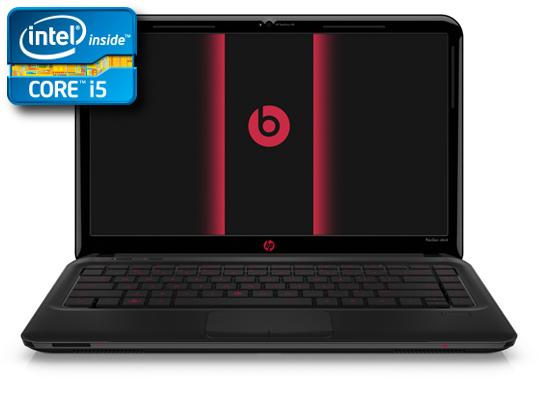
Notebook HP Pavilion DM4: Intel Core i5 450 Full Specification Details

HP Pavilion DM4HP Notebook - Now this notebook does not just rely on the quality of their performance, but also required the design view to add to the elegance of the notebook when taken out of the room and meet friends or relations work. HP notebook manufacturers deliver a captivating display as well as to give satisfaction to the users with a wide selection of attractive colors and patterns.

In addition to the design of the display is gorgeous, what are the features found on HP DM4 this? Let us see this under review.


Screen and Design

screen used a 14-inch with 1366x768 pixel resolution, using the kind of glossy screens, while the graphics using Intel GMA HD.

In the case using aluminum materials as well as any motive emboos lines contained in the handrest and LCD cover. To the colors used are aluminum and silver color when you take it in the light, it will reflect the color pink to purple-unguan.

When you hold this notebook will feel cold, because the casing used is aluminum and was in the hands of emboos line. Hp Pavilion DM4 looks interesting with a mix of black and silver dove with aluminum.


HP Pavilion DM4

Completeness

HP Pavilion DM4 provides a range of ports, namely: one with eSATA Port Usb 2.0. You will find on the front side, right and left in the notebook slot and port.

Chicklet keys on the keyboard is very ergonomic and the right and left click buttons feel soft when pressed. You can do multi-touch because toucpad already supports.

To secure the data file, you can use the fingerprint that has been provided here.

DM4 HP uses an Intel Core i5 450 is capable of operating with 2.4GHz kcepatan. To the memory capacity of 2GB was available on the RAM and 320GB Hard Disk that you can use to accommodate a variety of file.
With 7200RPM rotational speed is able to produce high performance.

HD Intel GMA graphics score is 1539 and is an obstacle for those of you who like to play 3D games, because the notebook is not capable of running 3D games. But you do not worry, because these games you can still play with light and other entertainment media in the notebook is able to play HD quality movies 1080P or 720P.

The process of encoding and transcoding capable of running quickly without relying on the GPU and only use the CPU only.


Battery

Battery with 63Wh power is able to survive in 5 hours 13 minutes and included in the category of long battery life for notebooks with Intel Core i5.

HP Pavilion DM4

Final Conclusion

HP Pavilion DM4 with a charming and beautiful design is suitable for use by professional women with a choice of colors according to taste. The lack of features Fingerprint Reader you can use to secure or mangunci your important data files from other people. This notebook offers high performance and long battery life. Although 3D games can not be played here because the graphics are less reliable, but you can use other entertainment facilities such as play HD quality movies and you can use the HDMI port to connect on a large LCD to watch.

+ Design a beautiful and attractive casing
+ Features fingerprint reader
+ Long battery life

- Discrete Grphics


Specifications HP Pavilion DM4

Processor: Intel Core i5 450, Speed ​​2.4GHz 3MB L3 Cache
Operating System: Microsoft Windows 7 Home Basic 64bit
Screen: 14 inch 1366x768 Pixels
RAM: 2GB DDR3 1066
Hard Disk: 320GB 7200RM
Graphics: Intel GMA HD
Connection: Blueooth 2.1, Wi-Fi 802.11bgn, USB (3 pieces), eSATA, HDMI, D-Sub, Audio Out / In, Ethernet, Card Reader (5 in 1)
Web Cam: 1.3MP
Optical Drive: DVDRW
Battery: 11.1V 62Wh
Weight: 1.98Kg (+ Charger: 2.235Kg)


4.5

Monday

Asus NX90: Intel Core i7 processor and 720QM Large Screen

Asus NX90
Asus Notebook - This is a solution for those of you who want a notebook with a large screen, power-efficient and easy to place anywhere. An innovation for users who want to have indulged notabook with large dimensions and a large screen by presenting a series notebook Asus NX90.

Screen and Design

As the title above, the display used sized 18.4-inch with a resolution of 1920 x 1080 pixels. Should you care with a good display of this notebook, because it will be a little annoying if it hit a few scrapes. Large LCD screen makes a big part dimensions.

In the handrest and cover the screen with chrome finishing. The speakers are located on either side of the notebook screen is a big plus. Asus notebook looks attractive with a black and chrome color combination on the keyboard.

Asus NX90Completeness

Asus NX90 provides a variety of fittings that can help speed up the work with a variety mennyediakan complete port: USB 3.0, USB 2.0, eSATA, Optical Drive-In Slot type that can be found on the right side of this notebook dankiri. Optical Drive you can use to burn a DVD or it could be to play Blu-Ray.

There are 2 Trackpad on Asus NX90 series is useful for people who use the left hand as the main pedestal. On the right and left have a touchpad keyboard. Key keyboard keys look big, soft and comfortable you are using, the keyboard also has the power button, shortcut and some buttons for multimedia.
Asus NX90

For the sound use of a unique design company Bang & Olufsen. Tube-shaped speakers are large and long on the right and left of the LCD. This entry in the notebook Noteook karea entertainment sound produced when you watch a movie is like being in a cinema. Optical slot can be used to play BluRay movies in full HD quality.

Processors used Intel Core i7 720QM, 4GB DDR3 memory RAM available that could be improved with an upgrade to 12GB. Operating systems for using Windows 7 Ultimate 64bit. Hard disks are provided and there are 2 each with a capacity of 640GB and you can use to save the various files as you like.

Graphics used on the NX90 NVIDIA GT335 1GB so that 3D games can be played with the settings and certain resolution and capable of running the middle and upper apikasi smoothly. To connect the external storage you can use the eSATA and USB 3.0 are located on the left to produce a high-speed data transfer. If the NX90 notebook screen was not big enough when you used to watch movies, then use the HDMI port for connecting to satisfy your entertainment on the big screen.

For Games

- In settings with a high native resolution, 3D games can be played smoothly.
Asus NX90- In Very high settings with a native resolution of 1280 x 720 Game Left 4 Dead 2 game can be played.
- At high settings and a resolution of 1820 x 720 could run quite smoothly in DX9 and DX10.
- Game isa DiRT2 played smoothly on high settings and 1280 x 720 setting.


Battery

Asus NX90 including long battery durability that produced if the look of the screen size and specification used. These batteries can last for 2 hours 30 minutes.

Final Conclusion

This notebook is suitable for use for those of you who want to have a notebook with a large screen, high specification and attractive design. And you must pay your wish with a fairly high price, and this certainly is not ordinary notebook.
This Notvook deserve to be on your desk and a desktop replacement.

Asus NX90Entertainment facilities are also provided here that you can use to play 3D games, Blu-Ray player, play full HD-quality movies with sound steady. A variety of top-class applications you can run the screen.

Strong battery power and low power consumption, namely: In Idle 30Watt power required and the conditions listri Full load power required by 50 Watt.

+ Good sound from Bang & Olufsen.
+ Full screen HD.
+ Port is complete.

- Dimensions of large size.


Asus NX90 Notebook Specifications

Operating System: Windows 7 Ultimate 64bit
Processor: Intel Core i7 720M. Speed ​​1.6 GHz 3MB L2 Cache
Chipset: Intel HM55
Screen: 18.4 inch 1920x1080
Memory: 4GB DDR3 1333
Hard Disk: 640GB 5400RPM x 2 Units
Graphics: NVIDIA GT335M 1GB
Connection: Bluetooth V2.1, 802.11bgn Wi-Fi, USB 3.0 (2), USB 2.0 (2), HDMI, D-Sub, eSATA, Audio Out / In, Ethernet, card reader.
Web Cam: 2 pixels
Battery: 5600mAh 63Whrs
Size: 53mm x28mm x 3.0-3.60mm
Weight: 4.32kg (+ charger: 4.89kg)

4.5

Saturday

HP Pavilion DM1-3016AU: AMD Fusion processor Zacate E350. Full Specification Details

HP Pavilion DM1-3016AUHP Notebook - Hp notebook presenting products using AMD Fusion processors are capable of providing power savings is quite good and also affordable notebook products. Also presented interesting design and 11.6-inch screen. For more details can be seen the following review.

Screen and Design

Display used sized 11.6 "with 1366x768 pixel resolution.
The design presented is quite charming and attractive. The existence of a circle motif are sticking together on finishing with a black screen and doff the cover section also doff dominate the silver color casing so it looks more contrasting. With a 1.6 inch screen that presented a medium-sized dimensions and thin, so when you lift was light and easy to carry in your bag.

Battery

DM1-3016AU HP battery can last for 374 minutes and this includes the resulting long durability. For those of you who are located outside the room, you use the notebook is ideal beyond the reach of electricity.

System Performance

HP Pavilion DM1-3016AU
DM1-3016AU HP processor type Zacate E350 is a member of the AMD Fusion with 1.6GHz speed. memory capacity of 2GB SODIMM DDR3 provided so that various applications can be run. AMD Radeon HD6310 Graphics Card is already integrated into the processor AMD Zacate. To speed up your work, GPU capable of running on parallel processing (APP) such as: Play and transcoding HD movies. Meanwhile, to keep your data files, provided the memory hard disk with 320GB capacity.

HP Pavilion DM1-3016AUProvided Port USB 2.0 ports, HDMI and a variety of other connections that can be seen in the specs at the bottom of this article. HDMI port can be entertainment for you to play movies HD1080P quality. The speakers are used from the manufacturer Altec Lansing mounted at the front of the notebook with the resulting sound quality is quite good.

Keyboard HP DM1-3016AU quite ergonomic design with chicklet keys. Make use of finishing in the handrest silver trackpad and keyboard doff and black surrounded doff. The keyboard feels soft and comfortable when used even when worn for long periods of typing ..

Zacate E350 with AMD processors make medium application can run smoothly.

Transcoding process runs very fast with the Media Coverter 7 that support the GPU performance.

ATI Radeon HD6310 graphics performance on HP DM1-3016AU noteook make the user can not run 3D games as well. But the game you play light can still be for you hiuran media.

HP Pavilion DM1-3016AU

Final Conclusion

HP Notebook DM1-3016AU suitable for those of you with more activities outdoors as high battery life, light and thin. Some intermediate range of applications can run smoothly, and that went pretty fast transcoding.

Full HD1080P multimedia content can be run smoothly by using an AMD Zacate and it becomes a plus in this notebook.

+ High durability.
+ Light weight and small dimensions.
- Ports that are used to
- Graphics underpowered for gaming
HP Pavilion DM1-3016AU


Notebook Specifications HP Pavilion DM1-3016AU

- Operating System: Windows 7 64bit Home.
- AMD E350. Speed ​​1.6GHz 1MB L2 Cache.
- Chipset: A50M FCH.
- RAM: 2GB DDR3.
- Hard Disk: 320GB SATA.
- Graphics: ATI Radeon HD6310M.
- Screen: 11.6 inch. 1366 x 768.
- Connection: bluetooth 2.1, Wi-Fi 802.11bgn, USB 2.0 (3pcs), HDMI, D-Sub, Audio Out / In, Ethernet, Web Cam.
- Card Reader: Multi Format Digital Media Card Reader.
- Battery: 10.8V 55WH.
- Size: 11.42x8.43x0.8-1.2.
- Weight: 1.53kg (+ Charger: 1.792Kg).

Toshiba M465 notebook: Intel Core i3 370M. Full Specifcation Details

Toshiba notebooks - Trademarks Toshiba is known around the world and become one of the leading companies in the electronics field and is currently the author of the review of the Toshiba M465 notebook to you with a variety of features that has been provided here.

Toshiba M465 notebookScreen and Design

Screen size 14-inch M645 with less resolution of 1366x768 pixels.
Presented quite a unique design, which uses a texture similar to fish scales with a prominent black dove with a combination of finishing and closing piano section handrest LCD screen.


Completeness of features

On the right, left and front of the body Toshiba M645 has provided a variety of ports:
- Optical Drive Slot.
- Express Card to add 3.0 port.
- ESATA, combined with one of the USB 2.0 port.

Model line up chicklet keys on the keyboard using the LED backlight that you can use when in a place of light Mim.

for the security of the notebook that does not want, M465 has been accompanied FingerCard placed in the middle of the right and left click.

Speakers are used on Toshiba M465 uses of the manufacturer Harman / Kardan with the charming sound because it uses a subwoofer is placed over the keyboard, so the result sounds very good to play movies, music and play games.


Battery

48Wh capacity battery capable of providing security notebook for 3 Hours 53 Minutes at the time of Wi-Fi on and connected to the network. When you use outdoors should carry Charger.


System Performance

Toshiba M465 notebook
Toshiba M465 uses Intel Core i3 370M and the 2.4GHz speed with 2GB DDR3 memory capacity. For data storage space has been provided on the Hard Disk 500GB, is large enough to store various data files for you such as data files, music, games, movies and others.

Toshiba M465 uses NVIDIA Graphics GT330M, although lagging behind the latest generation of graphics, but you still can play 3D games with this notebook.

Although using NVIDIA GT330M Graphics was able to run applications as middle and upper well in the test using Sysmark 2007.

Use of the GPU with CUDA able to finish encoding with pretty good results and faster performance compared with the performance of the CPU.


NVIDIA GT330M performance on this notebook capable menjaankan well with 3D games and certain resolution settings.
Example of game;
- Resident Evil5 Game can be played in DX10 can be perfect, but if you use DX9, then the result is less convenient.
- Game Left 4 Dead can be played quite well with the native resolution with high settings.

Final Conclusion

Toshiba M465 notebook suitable for use by professionals when viewed from its physical appearance. What is interesting in this notebook is the LED backlight on the keyboard that can be used in a room with less light. Fingerprint security system is a magnet for securing data on the notebook.

+ Port complete.
+ Graphics tough to play the game.
+ Backlight LED on the keyboard.
- Battery life is longer because of less use NVIDIA graphics.
Toshiba M465 notebook


Specification of Toshiba M465

- OS: Windows 7 Home Premium 64bit
- Processor: Intel Core i3 370M. Speed ​​2.4GHz 3MB L3 Cache
- RAM: 2GB DDR3 1066
- Hard Disk: 500GB 5400RPM
- Graphics: NVIDIA GT330M
- Screen: 14 inch 1366x 768
- Connection: Wi-Fi 802.11bgn, USB (3 pieces), eSATA, HDMI, D-Sub, Audio out / in, Express Card, Ethernet, Card Reader (4 in 1)
- Web Cam: 1.3MP
-Optical Drive: DVDRW
- Battery: 10.8V 48Wh

Wednesday

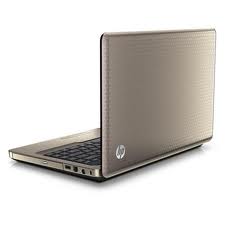
HP G42-360TX Notebook: Tough Performance and Beautiful Design

HP G42-360TXHP Notebook - Notebook now not only rely on a strong performance, but the design also needed to support performance while at work or when out with friends. Hp aware of these developments, HP launched its production as the HP G42-360TX. This notebook looks interesting with curved design and a ribbed texture and embossed finishing champange color.
What was the performance of this notebook? Follow Notebook review HP G42-360TX below.

Screen and Design

HP G42-360TX Screen size 14-inch and a resolution of 1366x768. You will feel comfortable with using a 14 "for a long time.

The design combinations are presented fairly interesting and beautiful with each side a curved shape. Champange colors embossed on finishing and textured and striped motif forms a triangle on the back of the LCD. Doff the combination of black and luxurious look champange into HP G42-360TX notebook this.

Completeness of Features

HP G42-360TXCompleteness that is on this notebook such as: HDMI Port, USB Port, D-Sub and the other port, but the eSATA and USB 3.0 port does not exist here.

You will feel comfortable when using the keyboard keys for a large size and soft. When using an optical touchpad will be comfortable in a wide handrest.


Performance

HP G42-360TX notebook uses an Intel 2.53GHz Core i3 380M-speed, but the processor does not support Turbo Boost technology.
Memory capacity of 2GB of RAM capable of running the middle and upper application quite smoothly.

Ceat Trancoding can run on this notebook and the process of encoding multimedia files from one format to another is also running quickly and easily.

3D Game Performance
HP G42-360TX
HP G42-360TX uses the ATI Radeon HD5470 Graphics Card capable of running 3D Gam resolution and certain settings.
HP notebooks are not using ATI Radeon graphics card series 6, because it is not in spesialkan to play heavy 3D games. But you still can play 3D games keas medium. On the other hand, do not use the ATI Radeon series 6 on this notebook for more affordable prices.

You can play the game FPS Left 4 Dead is set in a way few pangaturan medium, as well as the native resolution on High settings.
For Game Left 4 Dead 2 can run smoothly with medium settings and native resolution of 1366 x 768.
While the Resident Evil games can run smoothly with high settings and a resolution of 800 x 600 in DX9 and DX10. Lower configuration to be the best FPS if you want to play with a resolution of 1024x768.


Battery

The battery on the HP G42-360TX is able to survive up to 3 hours with a capacity of 47WH.


Final Conclusion

HP G42-360TXIf you want a notebook with a gorgeous display and powerful performance, the HP G42-360TX Notebook This could be a reference for you. The performance of this notebook is quite good and is capable of running bermaacam middle and upper-range of applications. For entertainment are also capable of running 3D games + use in the production of sound systems Altec Lansing ole so the sound comes out good enough to be heard.

+ Cheap and affordable price.
+ Attractive casing Design.
Ergonomic Keyboard +.
+ Graphics Card-powered

- Port is still common


Notebook Specifications HP G42-360TX

Processor: Intel Core i3 380M, Speed ​​2.53 GHz 3MB L3 Cache
Chipset: Intel HM55
Screen: 14 inch 1366x768
Graphics: ATI Mobility Radeon HD5470
RAM: 2GB DDR3
Hard Disk: SATA 320
Connection: Bluetooth v2.1, Wi-Fi 802.11 bgn, USB (3Buah), HDMI, D-Sub, Ethernet, Audio Out / In, Card Reader (5 In 1), Web Cam (1.3MP)
Optical Drive: DVDRW
Battery: 47Wh, 10.8V
Weight: 2.25Kg (+ Charger: 2.46Kg)

4.5

Monday

Asus U36J: Screen 13.3 "and Slim Full Specification Details

Asus U36J
Asus Notebook - Asus notebook product U36J presence to cater to users who want a device that is light and thin notebook. So you have no reservations in bringing traveling. Today many notebooks competing in the thinness of the design to appeal to users who do not just rely on a feature, but also highlighted the design lifestyle.
Follow the following review to determine completeness of the product U36J presented.


Screen and Design

Presented on the screen measuring 13.3-inch notebook with a 1366x768 resolution, with a thickness of about 19mm. Glossy type of screen used and it is a bit of weakness on the screen, because there will be shadows that bounce on your screen and a little disturbing. To reduce or minimize the interference you can increase the brightness. Viewing angle U36J including good, because when viewed from the right and left about the same as when you look at the screen. But when you look down and up, will change the color degradation
When you open the screen, then you will find a comfortable and spacious room includes a keyboard.

Asus U36J
Design an elegant black casing and silver color with aluminum characteristic striped texture.

Asus U36J
Asus U36J

Battery

3070mAh battery capacity to survive in a time of 4 hours. Battery life is no longer available is because the capacity is small.

Completeness of features

Asus U36J
Asus completeness U36J namely: USB port, HDMI is useful to connect the LCD TV. Location of port is easily accessible because it is located on the right and left.

Chicklet keys on the keyboard and ergonomic looks like there are additional buttons: Home, PgDn, PgUp, end 0, which is useful in order to process the data and browsing much easier on the Asus notebook screen size 13.3 ".

When the key is depressed will feel soft and extremely useful if using typing in a long time. You will easily do the multitouch trackpad area because of space.


Asus U36J
Asus U36JPerformance

U36J Asus uses an Intel 2.53GHz Core i3 380 and the speed with 4GB DDR3 SODIMM memory space. Asus notebook has not been used and still use the Sandy Bridge Intel Arrandale.

With slim dimensions, but where to store 500GB of data on the hard disk that can store various multimedia files and data files you freely, because it provided ample space on your hard disk.

NVIDIA GeForce 310M graphics that is used to run a variety of 3D games with certain settings. Although the entry under the NVIDIA GeForce 300M series, 3D games can run smoothly and be in the count for your entertainment media, even without high settings and native resolution.

Use Axpress Gate to access various multimedia applications such as opening files and browsing without going into windows, how: simply press the power button located on the right. Shutdown and Start Up Speed ​​Express Gate is less than 5 seconds.

With Sysmark 2007: The Asus U36J performance with an Intel Core i3 380M, middle and upper-class applications can run smoothly.

Transcoding process goes quickly and if the application used supports CUDA, the transcoding process will be faster.


Final Conclusion

Asus U36JAsus comes with a dimension U36J thin and lightweight, making it easy for you to take it. Screen with a medium-size and comfortable to use. A soft keyboard makes your typing activities in a long time is not exhaustive. For your entertainment, 3D games can run smoothly. Arrandale processors used and not on the processor or the 2nd generation Sandy Bridge.

+: Jayar size is
+: The thin dimension
-: Heavy Adaptor


Specification Asus Notebook U36J
Asus U36J

Operating system: Windows 7 Home Premium 64bit
Processor: Intel Core i3 380M. Speed ​​2.53 GHz 3MB L3 Cache
Chipset: Intel HM55
Screen: 13.3 inch. 1366x768
RAM: 2GB DDR3
Hard Disk: 500GB SATA
Graphics: NVIDIA GeForce 310M
Connection: Bluetooth V2.1, Wi-Fi 802.11bgn. USB (3 fruits), HDMI, D-Sub, Audio Out / In, Ethernet, Web Cam, Card Reader (5 in 1)
Battery: 14.4V 3070mAh
Size: 322 x 232 x 19
Weight: 1.17Kg (+ Charger: 1.5kg)

4.5

Wednesday

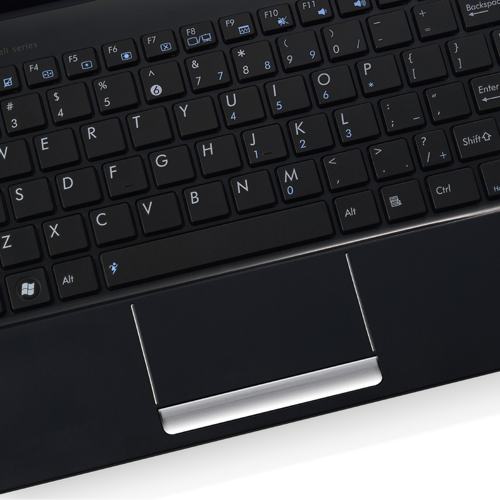
Asus Eee PC 1015T Seashell: Netbook Prosesor AMD Full Specification Details

Asus Eee PC 1015T Seashell
Asus Eee PC 1015T Seahell different processors in the present than usual. If usually rely the processor with basis Intel Atom, then the netbook is presenting processors AMD Nile V105 with speed 1.2GHz. Although the resulting rate is lower, but graphics can count on this netbook. let us consider the Asus Eee PC 1015T review below.

Screen and Design

Eee PC 1015T Seahell screen size 10.1 inch with a resolution of 1024x600.
The design presented in black dove so it looks clean from dirt. In the center there is a cover of LCD screen Asus logo. Body design similar to the processor Intel Atom.


Completeness of Features

Asus Eee PC 1015T SeashellYou will find the difference from other netbook here, because this netbook is equipped HDMI port that can be connected to the LCD TV to watch movies with wide screen if you are not satisfied to watch directly over this netbook, and of course use the supplied HDMI cable.

Design using a chicklet keyboard and for those of you who have rather large fingers might be a little bit of difficulty typing because the keys look small design.
Handrest section includes touchpad to use a black bandage dove and stripes. Finishing section piano keys keyboard with color contrasts handrest.

On web cam is provided button on / off with way shifting the button his physical.


Battery

The batteries used are able to survive 3 hours and it includes pretty good and better chrger always be in your bag when traveling. For the design this battery is eventually bring you comfortable when typing, because the position of rear body becomes higher.

System Performance

Asus Eee PC 1015T SeashellProsesorAMD lower than Intel's Atom, but the lack of it is covered with graphics ATI Radeon HD 4250 and became its own advantages and graphics are capable of running HD quality 1080p movies smoothly.

Performance of Netbook Eee PC Seahell 1015T is almost equal with netbook see what other using the processor Intel Atom. You can do light work with no problems such as office applications and browsing and others.

Transcoding process is rather long run because the netbook is a light fitting to run the application and not the middle and upper-class applications such as transcoding.

Eee PC 1015T Seahell not capable of running 3D games and should play a game that only light-light in order to play smoothly. There is some flash and casual games you can run smoothly instead. And as an instead not could play a 3D games, then the this netbook mempu running the with smoothly Film quality HD.

Final Conclusion

AMD processor on this netbook has an own advantages than other netbooks and netbook can you use like the other netbooks. Facilities entertainment that were presented namely capable play movies quality of HD 1080p and could you connect the on TV large screen with using the port HDMI and cables HDMI.

With ATI graphics can minimize lagging casual flash games that can play smoothly.

Available Port + HDMI
+ Being able to play 1080p HD movies
Asus Eee PC 1015T Seashell

Resilience battery-less long

Asus Eee PC Seashell 1015T Specs

Operating System: Windows 7 Starter
Processor: AMD Nile V105. Speed ​​1.2GHz
Screen: 10.1 inch, Resolution 1024x600
Memory: 1GB DDR
Hard Disk: 250GB 5400RPM
Graphics: ATI Radeon HD4250
Connection: Bluetooth V3.0, Wi-Fi 802.11bgn, USB (3), HDMI, D-Sub, Audio out / in, Ethernet, card reader.
Web Cam: 0.3 pixels
Battery: 5200mAh 10.95V
Size: 262mm x 178mm x 23.6-36mm
Weight: 1.3Kg

4.5